


Welcome to the 2nd in HopeForFilm’s product and software review series, brought to you by FilmStack’s own Punk Rock Producer, Donny Broussard.
I have tried a lot of software over the years, and I always come back to either Final Draft or Writer Duet (for team writing). I’m always on the lookout for new screenwriting software, so when a rep from Scripto reached out and asked if I wanted to test drive their software, I jumped at the chance.
Scripto’s team members Josh and Christiane walked me through the ins and outs of the software and were very helpful in getting me set up. Testing screenwriting software can take some time. Because there are so many features, it takes me a while to figure out what works for me and what doesn’t, so after about five months of using Scripto, I’m ready to share my thoughts with all of you here on Hope for Film. Let’s get into it!
Awesome workspace!
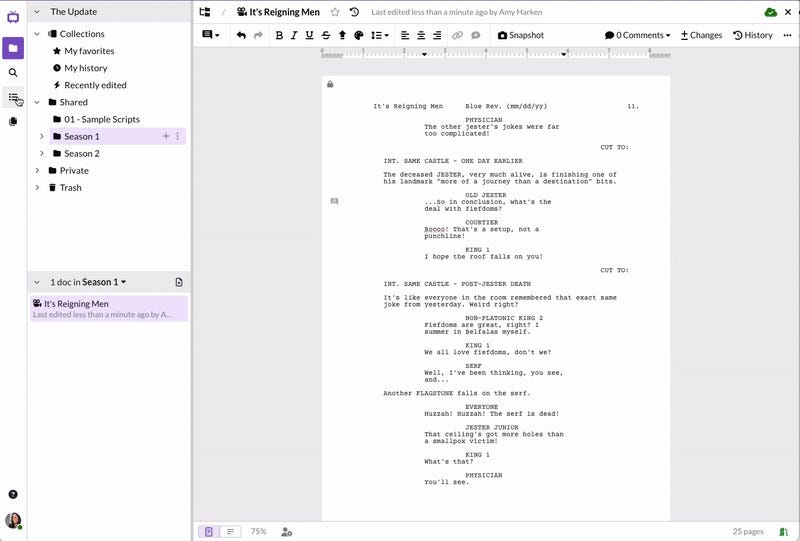
The most shocking part of starting out in Scripto is the interface. It’s almost like Google Docs collided with your favorite screenwriting software. Because it’s cloud-based, everything you do is right in front of you in your workspace. All of your scripts are in folders, ready for you to get to work. All of your work is automatically saved, searchable, and accessible to your collaborators. I love the folder structure and think it should be standard in screenwriting software. You can make private folders that only you can work from, and you can have public ones that your collaborators can work on in tandem with you. It’s intuitive and reassuring to know that all your work is right at your fingertips the moment you open the workspace.
Is it the software or am I just grumpy?
After raving about the workspace and folder structure, I’m going to get a little grumpy about actually writing in Scripto. Take what I’m about to say with a grain of salt because I’m used to Final Draft. I like hitting the ENTER/TAB keys a few times and moving super fast through my scene headings, action, characters, dialogue, etc. However, I’m not as fast in Scripto. This isn’t Scripto’s fault; it’s just that I’ve been using Final Draft for so long that I’m not able to move as fast as I’d like in new software. The TAB keys still give me all the elements, but for some reason, it’s still taking me a while to get used to how it functions. I’m sure with more time I’ll be able to navigate it much better, but so far it’s not as intuitive for me on the writing side.
What I loved
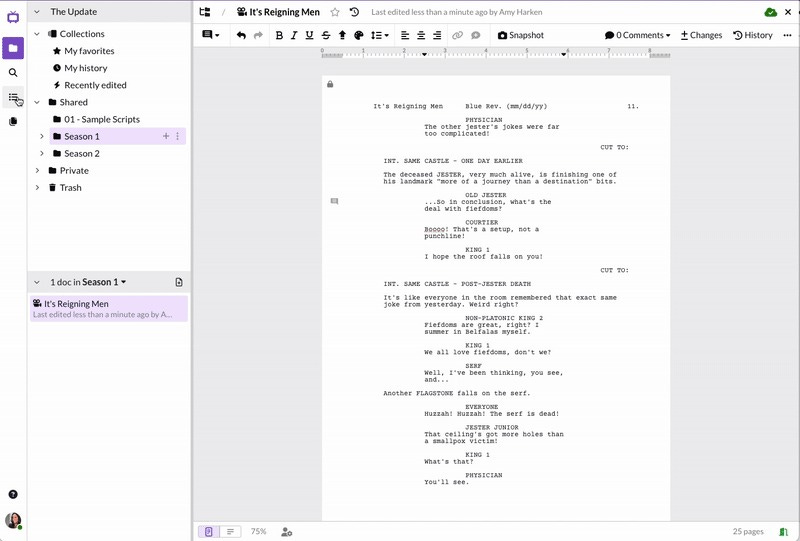
Okay, now that I’ve shared my struggle, it’s time to talk about what I absolutely loved about it. Collaboration is king in Scripto! While working within Scripto, you can have multiple writers working on the same project at the same time. You can watch collaborators make changes in real time. If you’re working on a series, then Scripto is perfect for writer’s rooms.
Read more